WordPress Course In Hyderabad
Upcoming Batch Details
| Trainers Name | Mr. Ravi Varma, Mrs. Ambica Kiran |
| Trainers Experience | 15+ Years, 8+ Years |
| Next Batch Date | 27th April 2026 (11:30 AM IST) |
| Training Modes | Offline, Online Training |
| Course Duration | 30 Days |
| Call us at | +91 81869 44555 |
| Email Us at | digitalbrolly@gmail.com |
| Demo Class Details | ENROLL FOR FREE DEMO CLASS |
Why Choose WordPress Training at Digital Brolly ?
- WordPress training by experienced trainers
- Basics to advanced WordPress concepts
- Live projects for real-world experience
- Easy website creation and customization
- Daily hands-on lab practice (3–4 hrs)
- One-on-one mentorship and guidance
- Plugin and theme management skills
- Build business and portfolio websites
- Create powerful eCommerce websites
- Learn WooCommerce and SEO basics
- Hosting and cPanel practical training
- Website security and backup practices
- Resume building and soft skills support
- LinkedIn profile and job readiness help
- Mock interviews and career guidance
- Affordable fees, EMI & placement support
WordPress Training Course In Hyderabad
Curriculum
Module 1- Introduction to WordPress
- Package Download
- Installation
- Creating Database
- A brief history
- More about WordPress
- WordPress Blogs vs. Websites
- A brief introduction to WordPress themes
- Getting started with WordPress
Module 2- What is CMS?
- Understanding Content Management Systems (CMS)
- Differences between CMS and traditional website development
Module 3- Why WordPress?
- Key features of WordPress
- Why WordPress is the most popular CMS
- Real-world use cases of WordPress
Module 4- How to install WordPress on Local host (Your personal computer)?
- Setting up WordPress on your local computer using XAMPP or MAMP
- How to configure your local server for WordPress installation
Module 5- WordPress Dashboard Brief
- Overview of the WordPress dashboard interface
- Key areas of the dashboard for site management
- How to navigate through WordPress admin
Module 6- What are Pages?
- Understanding the difference between Pages and Posts
- Creating and managing static pages in WordPress
Module 7- What are Posts?
- Understanding the role of Posts in WordPress
- How to create and manage blog posts
Module 8- Difference between Pages and Posts?
- When to use Pages and when to use Posts
- Practical examples of Pages and Posts
Module 9- How to create a Page and a Post?
- Step-by-step guide to creating a Page in WordPress
- Step-by-step guide to creating a Post in WordPress
Module 10- What are categories?
- Importance of Categories in WordPress
- How Categories help in organizing content
Module 11- How to create categories?
- Step-by-step guide to creating Categories for Posts
- Best practices for categorizing content
Module 12- How to create different types of menus in WordPress?
- How to create and customize menus in WordPress
- Setting up Dropdown Menus, Categories, and Custom Links
Module 13- Different types of Widgets and their usage
- Understanding Widgets in WordPress
- Commonly used Widgets and how to configure them
- Using Widgets in Sidebars, Footers, and Content Areas
Module 14- What is a Theme and its Importance
- What is a Theme in WordPress?
- How themes define the look and feel of your website
- Key factors to consider when choosing a theme
Module 15- How to install a theme and activate it?
- Step-by-step guide to installing a new theme
- How to activate and customize your theme
Module 16- How to choose the Right Theme for your website?
- Key factors to consider when selecting a WordPress theme
- Choosing themes for different website types (business, blog, eCommerce)
Module 17- What are Plugins? and their Importance
- What are Plugins in WordPress?
- How plugins extend WordPress functionality
- Overview of popular plugins and their uses
Module 18- How to allow / block the crawling for your website?
- Introduction to robots.txt file and its role in SEO
- How to control search engine crawling for your website
Module 19- Page Builder plugins for designing custom pages
- Introduction to Elementor, WPBakery, and other popular page builders
- How to create custom pages using drag-and-drop builders
Module 20- How to design a Home page?
- How to create an effective Home Page
- Best practices for Home Page design
Module 21- How to create a Blog?
- How to create and set up a blog using WordPress
- Best practices for blog layout and content organization
Module 22- How to create Contact forms and registration forms on your website?
- Using plugins to create Contact Forms and User Registration Forms
- Setting up email notifications and form submissions
Module 23- How to create an E-commerce website for free?
- How to set up a fully functional WooCommerce store for free
- Integrating products, categories, and basic checkout features
Module 24- How to integrate a Payment Gateway (adding payment links) to your website?
- How to integrate payment gateways like PayPal, Stripe, or Razorpay into your WooCommerce store
- Setting up secure transactions on your site
Module 25- How to build a sales funnel on WordPress?
- How to build a sales funnel using WordPress and plugins
- Creating landing pages and call-to-action buttons
Module 26- How to optimize your website for loading fast?
- How to optimize your WordPress website for fast loading times
- Best practices for image optimization, caching, and performance
Module 27- How to handle your website security?
- Introduction to WordPress security measures
- Protecting your website from hacks and malware
- Using security plugins and SSL certificates
Module 28- How to maintain backups for your website?
- Setting up automatic backups for your WordPress website
- Restoring your site from a backup in case of failure
Module 29- List of very important plugins that are must for a website
- List of essential plugins that every WordPress site needs
- How to choose the right plugins for SEO, security, speed, and more
Module 30- Changing URL structure for SEO purpose.
- Understanding Permalinks and how to optimize them for SEO
- Best practices for URL structure changes without affecting rankings
Module 31- Add live chat options to your websites
- How to integrate live chat functionality to enhance customer support
- Choosing the right live chat plugins for your WordPress website
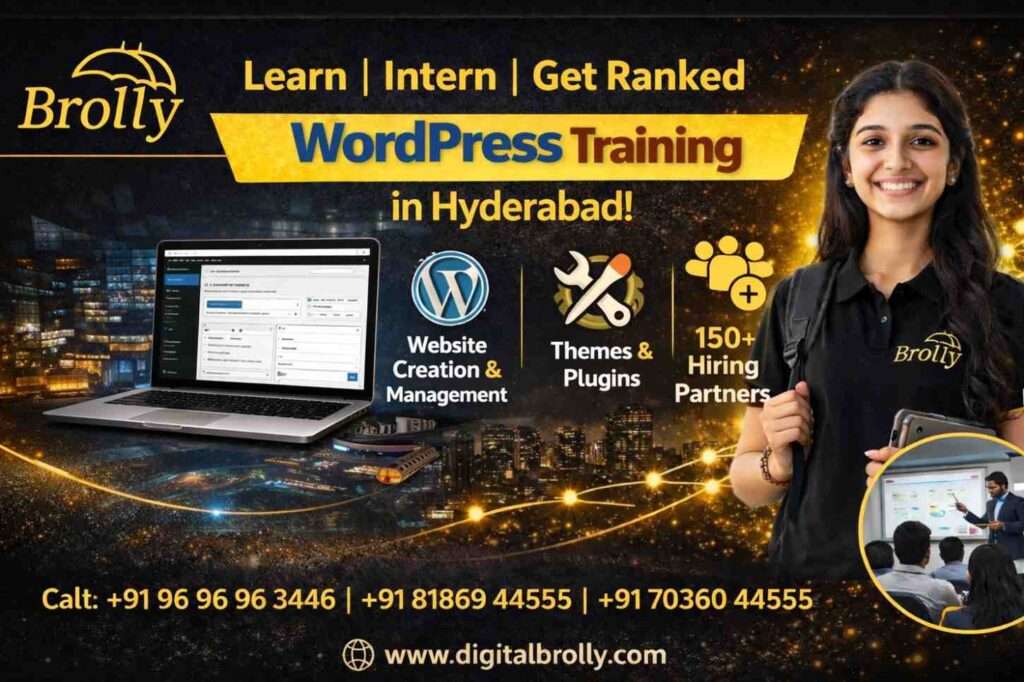
What is WordPress and How Does It Work?
- WordPress Platform : WordPress functions as a Content Management System (CMS), allowing users to create, organize, and manage website content easily without needing coding skills.
- Ease of Use : Websites can be built, edited, and updated easily using a simple, user-friendly dashboard.
- Content Creation : Text, images, videos, and media can be added and managed from one central control panel.
- Website Processing : WordPress automatically organizes content and converts it into structured web pages for visitors.
- Themes (Design Control) : Themes manage the website’s layout, colors, fonts, and overall visual appearance.
- Plugins (Feature Extension) : Plugins add extra functions such as contact forms, SEO tools, security, and e-commerce features.
- Visual Page Builders : Page builders like Elementor and block editors allow drag-and-drop page design with live preview.
- E-commerce Capability : WooCommerce enables full online store creation, including products, payments, and order management.
- SEO, Analytics & Performance : SEO and analytics tools help improve search visibility and track website visitors and performance.
- Hosting & Scalability : Hosting stores website files online while handling backups, security, updates, and scalability.
- Trusted by Top Brands: Sites like TechCrunch, Disney News, and NYT Open Blog use WordPress, proving its power and reliability for websites worldwide.
Where WordPress Is Used and the Tools You Will Learn
At Digital Brolly, students learn how WordPress is used in different types of work, not just classroom theory. The training is practical and tool-based, so learners feel comfortable building websites for businesses, clients, or their own projects. If you also want to learn SEO, ads, and other marketing skills, explore our Digital Marketing Training in Hyderabad.
Area / Industry | How WordPress Is Used | Tools You Learn in Training |
Online Stores & Retail | Create online shops, product pages, and accept customer payments | WordPress, WooCommerce, Elementor |
IT & Software Companies | Build company websites, service pages, and project information pages | WordPress, Elementor, SEO plugins |
Hospitals & Clinics | Create hospital websites with service details and appointment pages | WordPress, Elementor, booking plugins |
Finance & Consulting | Publish blogs, reports, and business information pages | WordPress, SEO tools, performance plugins |
Education & Training | Build course websites and online learning platforms | WordPress, LMS plugins, Elementor |
Marketing & Advertising | Design landing pages and promotion websites | WordPress, Elementor, Rank Math |
News & Media | Manage blogs, articles, and digital content | WordPress, themes, SEO plugins |
Startups & Freelancers | Create clean, professional websites to showcase services, brands, or personal work | WordPress, Elementor, hosting tools |
Benefits of WordPress Training In Hyderabad
Key Highlights
| Interactive Sessions | Join in exciting discussions and interactive activities to make learning more engaging. Be active, ask questions, and work together with your classmates to improve your understanding and abilities. |
|---|---|
| Expert Trainers | Gain knowledge from experienced professionals who have a deep understanding of the industry. Our expert trainers offer real-world insights, valuable guidance, and support to help you succeed in your learning journey. |
| Course Material | Get access to a wide range of learning resources to support your educational journey. Our course materials include study guides, video tutorials, and other valuable resources to help you learn effectively. |
| Real Time Training | You'll get to experience live, hands-on instruction in real-world scenarios during our training sessions. This approach ensures that you can immediately apply your skills in current industry contexts, fostering relevant and practical learning experiences. |
|---|---|
| Certification Guidance | We provide support to help you navigate the certification process smoothly. Our guidance ensures that you are well-prepared, offering direction and resources to help you achieve successful certification in your chosen field. |
| Paid Tools Access | Access premium resources and features with our paid tools access. Unlock exclusive benefits, enhanced functionality, and maximize your learning potential with these valuable tools and resources. |
| Success Strategies | Discover effective strategies for success. Our success approaches provide you with the tools and mindset needed to overcome challenges, setting you on the path to achieve your learning and career goals. |
|---|---|
| Batch Repeat Facility | You can benefit from the flexibility to revisit course content with batch repeat options. This allows you to reinforce your understanding and mastery of the material through additional sessions, ensuring thorough comprehension. |
| Placement Assistance | You'll receive dedicated support in securing job placements through our placement assistance program. We equip you with valuable resources, guidance, and connections to enhance your career prospects after completing your training. |
What Makes Digital Brolly WordPress Training Different
What Students Care About | Digital Brolly WordPress Training | Other Training Institutes |
Learning Style | Learn through a mix of classroom and online sessions, based on what suits you | Mostly classroom-only sessions |
Course Content | Uses the latest WordPress tools like Elementor and WooCommerce | Covers basic WordPress with fewer updates |
Trainer Experience | Trainers who have built real websites and worked on live projects | Trainers with limited practical exposure |
Hands-on Practice | Start building real websites during the training itself | More focus on theory and demos |
Project Work | Work on business websites, blogs, and online stores | Simple practice projects |
Internship Support | Internship guidance to gain real working experience | No internship support |
Learning Support | Regular help, doubt clearing, and personal guidance | Support usually limited to class time |
Access to Materials | Continued access to notes and recorded sessions | Materials available only during the course |
Career Guidance | Help with resumes, interviews, and next career steps | Very little or no career guidance |
Jobs & Freelance Help | Support for placements, internships, and freelance work | Limited job or freelance support |
Batch Size | Small batches for better individual attention | Large batches with less personal focus |
WordPress Training Institutes In Hyderabad
Reviews
WordPress Training In Hyderabad
Trainer
INSTRUCTOR
D.V. Ravi Varma
Digital Marketing Expert & Lead Instructor
Experience: 16+ years in Web Development, WordPress, Elementor, WooCommerce, and SEO, trained 5,000+ students successfully.
About the tutor:
- Founder of Digital Brolly, leading WordPress expert in Hyderabad
- Built business websites, blogs, and e-commerce stores, guides students on live projects
- Step-by-step, practical teaching style with one-on-one guidance
- Offers free consultation and career-focused mentorship
Awarded Business Icon Award by Suman Art Theatres for contributions to business and education
He's one of the Best WordPress trainers in Hyderabad right now. You can get free consultation with him directly before joining.

WordPress Training In Hyderabad
Modes
Classroom Training
- 16+ years Experienced WordPress trainer
- Face-to-face instruction by experienced WordPress trainers.
- Daily recorded videos also provided
- Live project included
- Structured sessions with fixed schedules.
- 100% Placement assistance
- Interview Guidance
Online Training
- 16+ years Experienced WordPress Trainer
- Basic level to Advanced level
- Daily recorded videos also provided
- Live project included
- Access to study materials, videos, and Interview questions for a lifetime.
- 100% Placement assistance
- Interview Guidance
Video Training (Self-Paced)
- Basic level to advanved level
- Pre-recorded videos covering various WordPress topics.
- Daily recorded videos
- Curriculum developed by industry WordPress specialists at an affordable fee.
- Videos contains Examples & case studies
- Lifetime access to all the classes videos
- Interview Guidance
Who Can Join the WordPress Training Program in Hyderabad
01
Students and Fresh Graduates
Those who want to learn how to build websites and start a career in web or digital fields.
02
Non-IT Background Learners
People from different educational or job backgrounds who want to move into website-related roles.
03
Working Professionals
Individuals looking to add WordPress skills to grow in their current job or switch roles.
03
Working Professionals
Individuals looking to add WordPress skills to grow in their current job or switch roles.
04
Business Owners and Entrepreneurs
Anyone who wants to create and manage their own business website or online store.
05
Freelancers and Consultants
Professionals who want to offer website services to clients and increase income opportunities.
06
Design and Content Interested Learners
People who enjoy working with layouts, content, and website appearance.
Eligibility and Basic Requirements for WordPress Training
01
Basic Computer Knowledge
Ability to use a computer, internet browser, and common software.
02
Interest in Learning Websites
Curiosity to understand how websites are created and managed.
03
No Mandatory Coding Skills
Prior knowledge of HTML or CSS is helpful but not required.
04
Basic Typing Skills
Comfortable with typing and handling digital content.
04
Logical Thinking Ability
Willingness to follow steps and understand simple workflows.
05
Creative Interest
Interest in design, structure, and presentation of websites.
06
Willingness to Practice
Ready to learn by doing and working on hands-on website tasks.
WordPress Job Opportunities and Salaries in Hyderabad
Job Role | Key Responsibilities | Annual Compensation |
WordPress Web Developer | Build and maintain WordPress websites, customize themes and plugins, ensure the site works smoothly | ₹3 – 6 LPA |
WordPress Theme Developer | Design and create responsive WordPress themes, make websites look attractive and mobile-friendly | ₹3.3 – 6.5 LPA |
WordPress Plugin Developer | Develop or customize plugins to add new features, keep them updated and secure | ₹4 – 6 LPA |
Lead WordPress Developer / Team Lead | Manage WordPress projects and teams, ensure quality, deadlines, and smooth website delivery | ₹8 – 12 LPA |
WooCommerce / E-commerce Developer | Build and manage online stores, set up payment gateways, improve user shopping experience | ₹4 – 8 LPA |
WordPress SEO Specialist | Make WordPress sites search engine friendly, improve visibility and website ranking | ₹3 – 5.7 LPA |
WordPress Training Certification in Hyderabad
At Digital Brolly, the WordPress training certification is based on what you actually learn and practice during the course, not just attendance. Certification is provided after completing the training and project work, and it reflects your hands-on knowledge of WordPress website creation. It is useful for resumes, interviews, and client discussions, and it carries the same value for both online and offline WordPress training in Hyderabad.
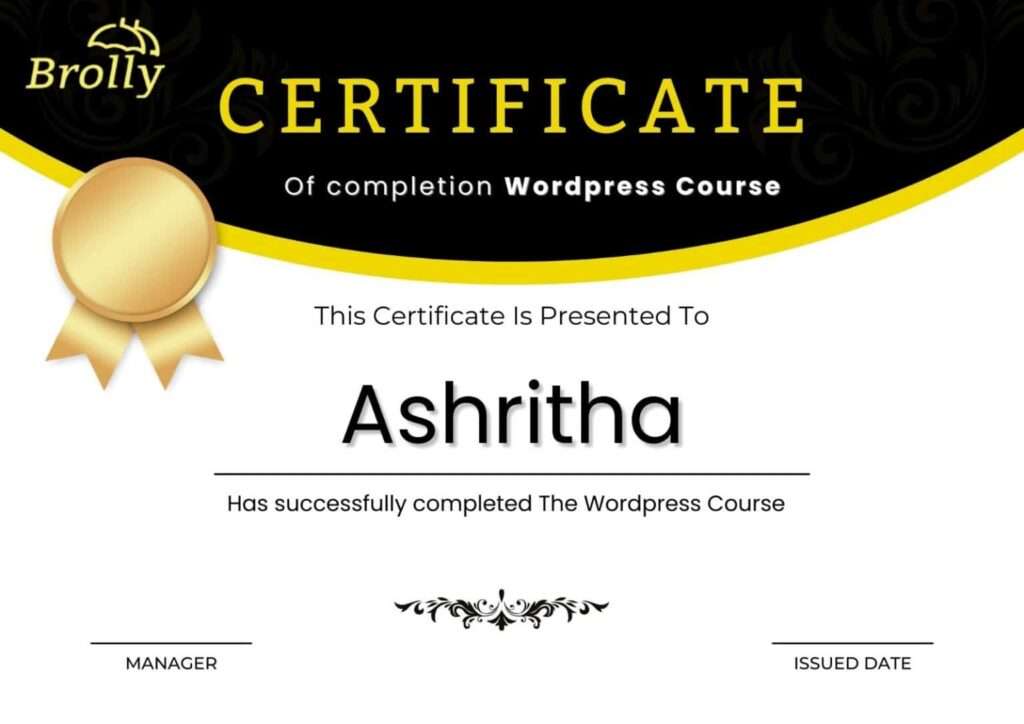
Certificates You Will Receive:
- WordPress Course Completion Certificate
- WordPress Theme Setup and Customization Certificate
- WordPress Plugin Usage Certificate
- WooCommerce and Online Store Setup Certificate
- WordPress Site Optimization and SEO Basics Certificate
FAQ'S
1.Who can Learn WordPress?
WordPress is open to anyone interested in learning and building their own website for business purposes. This includes HTML and UI designers and developers, blogging enthusiasts or bloggers, small business owners, web developers, content writers, and digital marketers or professionals aiming to create their website or pursue a career in WordPress web development.
2.Is there a demand for WordPress?
The demand for WordPress developers is not merely based on anecdotal evidence; it is backed by solid data. The platform has consistently expanded its market share in recent years, fueled by its user-friendly interface and versatility. This trend aligns with the increasing demand for skilled developers.
3.How much does it cost to learn WordPress?
The cost of learning WordPress at Digital Brolly is affordable for everyone. Please feel free to contact us or email us for further details.
4.Is WordPress easier than coding?
If you're looking for a fast and user-friendly way to build a website, particularly without coding experience, WordPress is a great option. However, if you have specific requirements or prefer complete control over your site, coding from scratch may be the preferable choice.
5.What is the salary of a WordPress developer?
The salary of a PHP WordPress Developer in India varies from ₹1.2 Lakhs to ₹6.1 Lakhs, with an average annual salary of ₹3.0 Lakhs.
6.What coding language is WordPress?
PHP is indeed the core language of WordPress, and the WordPress core, themes, and plugins are primarily written in PHP.
7.Is WordPress SEO-friendly?
Yes, WordPress is an excellent option if you lack experience in creating a website and want it to rank well in search results.
8.Can I learn WordPress without coding?
Yes, WordPress is versatile and suitable for users who know how to code as well as those who prefer not to. If you're using WordPress to create websites, you can accomplish a lot without needing to write code because of its many no-code features and tools.
9.Will you provide a wordpress certificate?
Yes, Digital Brolly provides a course completion certificate upon finishing the course.
10. What is the duration of the course?
1 month for classroom or online batches, fast-track options available.
11. What makes Digital Brolly’s course different?
Hands-on learning, live projects, expert trainers, and career-focused support.
12. Who should join?
Beginners, freelancers, entrepreneurs, and digital marketers wanting web skills.
13. How can WordPress help me start freelancing?
Work independently by creating websites, setting up themes/plugins, and offering SEO services to clients.
14. What projects will I work on?
Build business websites, blogs, and WooCommerce stores with real-time guidance.
15. What is the duration of the course?
1 month for classroom or online batches, fast-track options available.
16.Which tools and plugins are included?
Elementor, WooCommerce, SEO plugins, and essential WordPress tools.
17. Is there placement or freelancing support?
Yes. Career guidance, freelancing tips, and placement support are provided.